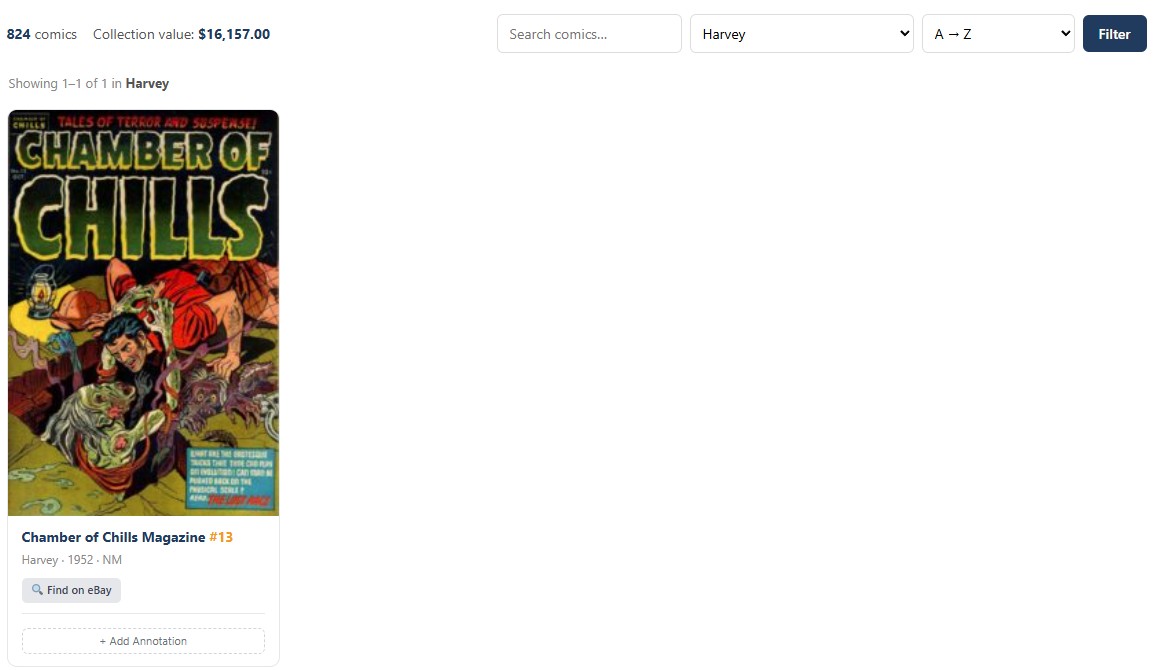
CC Inventory Scanner gives you the fastest way to get comics into your Comic Collector database. Point your phone camera at a barcode, and the extension reads it, identifies the comic, and either queues it for review or saves it to your collection immediately depending on the mode you choose.
The scanner supports UPC-A, UPC-E, EAN-13, EAN-8, and Code 128 barcode formats, covering standard comic barcodes as well as ISBN codes found on trade paperbacks and hardcovers. Detection runs through QuaggaJS with a native BarcodeDetector fallback, and a manual text input field handles cases where the barcode is damaged or the camera cannot focus.
When a barcode is detected, an automatic lookup chain runs through up to five data sources to identify the comic. UPC digit parsing extracts the publisher, issue number, and variant information instantly from the barcode structure. If the barcode is an ISBN, Open Library provides title, publisher, year, and cover art for collected editions. Comic Vine searches its database by UPC to return the full issue record with cover image, plot summary, story title, and series metadata. If Comic Vine misses or is not configured, the Metron API picks up as a fallback. Finally, if you have previously imported from CLZ Comics, the scanner checks your local collection for a matching barcode to use as a template. The result is a comic record that arrives pre-filled with as much data as the sources can provide.
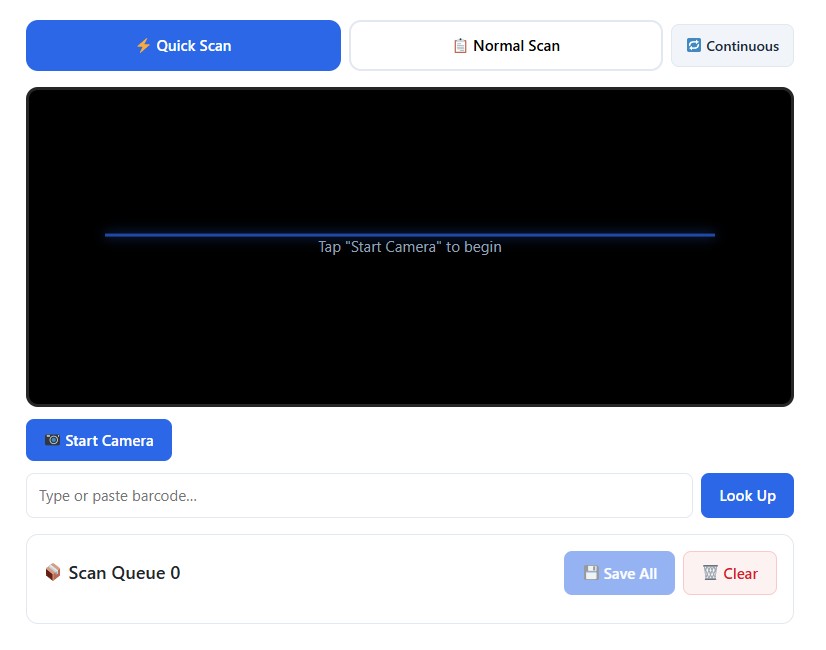
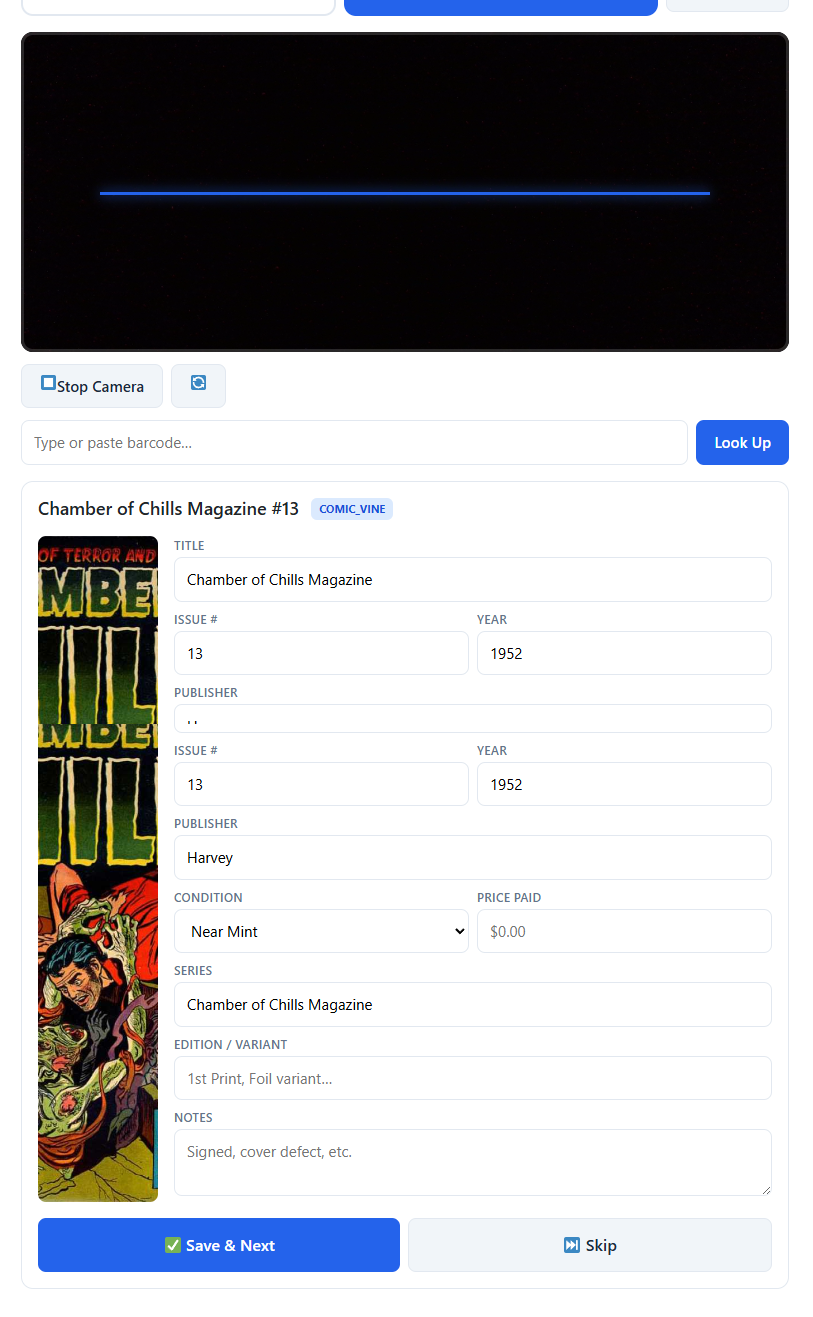
Three scan modes let you work the way the situation demands. Normal Scan shows a full preview card after each scan with editable fields for title, issue number, publisher, condition, price paid, series, edition, and notes. Review the auto-populated data, make any corrections, save, and move to the next comic. Quick Scan is built for speed. Each scan adds the comic to a visual queue where you can see cover images, titles, and source badges for everything you have scanned so far. Edit any item inline, remove mistakes, and save the entire batch to your collection at once when you are done. Continuous Scan goes even further, automatically saving every scanned comic to your collection the moment it is detected with no preview and no queue. A session counter tracks how many comics you have added during the run.
Every scan triggers multi-channel feedback so you know it registered. A colored flash overlay pulses on the viewfinder on every device. A two-tone beep confirms the scan on devices with audio enabled. Haptic vibration fires on Android phones. Toast notifications display the comic title briefly before auto-dismissing. If a scanned barcode matches a comic already in your collection, a duplicate warning modal appears with the option to add another copy or skip.
The camera interface is optimized for mobile use. A 4:3 viewfinder with a grid overlay and animated scan line shows exactly what the camera sees. Start, stop, and switch buttons let you toggle between front and rear cameras. The scanner works in any browser that supports camera access and runs just as well from a desktop webcam as from a phone at a convention table.
If your network drops, the scanner keeps working. Scanned comics are cached in your browser’s local storage and automatically sync back to your collection when the connection returns. An offline banner at the top of the interface lets you know you are working locally, and the session counter continues tracking your progress.
The settings page gives you control over defaults and behavior. Choose your preferred scan mode, toggle auto-lookup, enable or disable sound and vibration feedback, set a default condition grade for all scans, and pre-fill the store field with a location like your local shop or the name of a convention. Nine color settings with five presets (including a dark mode) let you restyle the entire scanner interface. A lookup sources panel shows the configuration status of Comic Vine, Open Library, and Metron so you know what is active.
A comic_scanner shortcode and an Elementor widget let you place the scanner on any page of your site. This is especially useful as a bookmarkable page on your phone’s home screen, giving you instant access to the scanner without navigating through the WordPress admin.
CC Inventory Scanner is for collectors who acquire comics in volume and want to skip the tedious part of cataloging them. Whether you are processing a stack of new pulls at home, working through a long box you picked up at a show, or scanning inventory all day at a dealer booth, the extension handles identification, data entry, and collection storage so you can focus on the comics.